Cloud Computing Explained Simply: What It Is and Why You Need It in 2026
Published: July 2026 | Reading time: 6 min
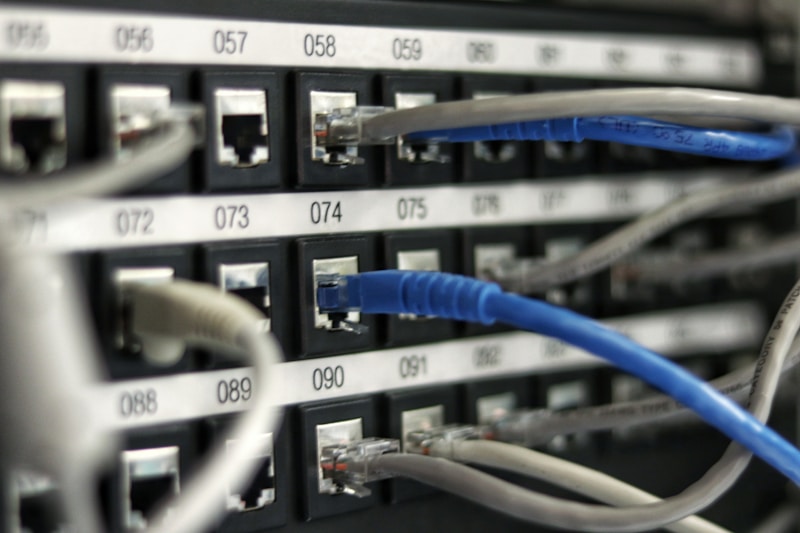
You've probably heard the term "cloud computing" thrown around a lot. But what does it actually mean? And more importantly — why should you care?
In simple terms, cloud computing means using remote servers (hosted on the internet) to store, manage, and process data — instead of using your local computer or a physical server in your office.
Think of it like this: instead of buying a DVD, you stream movies on Netflix. Instead of saving files to a USB stick, you use Google Drive. That's the cloud in action.
1. The 3 Main Types of Cloud Services
Infrastructure as a Service (IaaS)
This is the most basic level. You rent IT infrastructure — servers, storage, networking — from a provider like Amazon Web Services (AWS), Microsoft Azure, or Google Cloud. You control everything (OS, apps, security) while the provider maintains the hardware.
Platform as a Service (PaaS)
This goes a step further. You don't just get hardware — you get a platform to develop, test, and deploy applications. It's designed for developers who want to focus on coding, not managing servers.
Example: Google App Engine, Heroku.
Software as a Service (SaaS)
This is what most people use daily. You access fully functional software directly in your browser — no installation, no updates to worry about.
Examples:
- Google Workspace (Gmail, Docs, Drive)
- Microsoft 365 (Word, Excel, Outlook)
- Dropbox, Zoom, Slack
2. Why Cloud Computing Matters in 2026
Here are the main benefits driving the cloud revolution:
Cost Savings
You don't need to buy expensive servers, pay for electricity, or hire IT staff to maintain hardware. You pay only for what you use — like a utility bill.
Scalability
If your business grows, you scale up in minutes. If it shrinks, you scale down. No wasted resources.
Flexibility and Remote Work
Your team can access files and applications from anywhere in the world, on any device with an internet connection. This is why remote work exploded in the 2020s — and it's here to stay.
Automatic Updates and Security
Providers like Google, AWS, and Microsoft handle security patches, updates, and backups automatically. You don't have to lift a finger.
3. Common Concerns About the Cloud
Security and Privacy
This is the #1 question people ask. Is my data safe?
Reputable cloud providers use bank-level encryption, multi-factor authentication, and 24/7 monitoring. In fact, your data is often safer in the cloud than on your own computer, which could be stolen, damaged, or infected by malware.
Downtime
Cloud providers guarantee 99.9% uptime — meaning minimal interruptions. And if there is an outage, you can access your data from a backup server in another location.
4. Who Uses the Cloud?
Everyone! From individuals to multinational corporations.
- Students – Store assignments, collaborate on group projects via Google Docs.
- Freelancers – Use Dropbox or OneDrive to share files with clients.
- Small businesses – Run accounting software (like QuickBooks Online) without installing anything.
- Large enterprises – Amazon, Netflix, Spotify, and Uber all run entirely on the cloud.
5. Top Cloud Providers in 2026
| Provider | Best For | Market Share |
|---|---|---|
| Amazon Web Services (AWS) | Infrastructure, enterprise | ~32% |
| Microsoft Azure | Business integration, hybrid cloud | ~23% |
| Google Cloud Platform | AI, machine learning, data analytics | ~12% |
| IBM Cloud | Enterprise, blockchain | ~5% |
6. How to Get Started with the Cloud
You're probably already using it! But if you want to go further:
- For storage: Sign up for Google Drive (15GB free) or Dropbox (2GB free).
- For productivity: Use Google Docs or Microsoft 365 online.
- For backups: Enable automatic backups on your phone or computer to Google Photos or iCloud.
- For businesses: Start with Google Workspace ($6/month per user) or Microsoft 365.
7. The Future of Cloud Computing
By 2030, experts predict that over 90% of all workloads will be in the cloud. Edge computing (processing data closer to the user) and AI-powered automation are the next big trends.
If you're not using the cloud yet, now is the time to start — it's no longer the future, it's the present.
Final Thoughts
Cloud computing isn't just a buzzword — it's a fundamental shift in how technology works. Whether you're an individual, a student, or a business owner, the cloud offers flexibility, security, and cost savings that are hard to ignore.
What cloud service do you use most? Let me know in the comments!
Disclosure: Some links in this article are affiliate links. I may earn a small commission at no extra cost to you.
Comments
Post a Comment