Wednesday, July 15, 2026

YOU'RE BEING HACKED RIGHT NOW (and you don't even know it)

Published: July 2026  |  Reading time: 7 min

Cybersecurity hacker warning

Let me tell you something nobody wants to admit: you are not as smart as you think you are.

You use the same password everywhere. You click on links without checking. You tell yourself, "It only happens to other people."

And then one day, you get that email: "Your account has been compromised."

On that day, you'll remember this article. Because you are the target — even if you don't know it yet.

The Modern Hacker (not the geek in a basement)

Hackers in 2026 don't look like they do in movies. They're organized businesses — with budgets, teams, and clear goals. They don't just target big companies. They target you.

Type of Hacker Who They Target Their Goal Why You're at Risk
Ransomware Gangs Individuals, small businesses Money (ransom) They lock your files and demand $500.
Phishing Scammers Everyone Password theft They send an email that looks exactly like your bank.
Data Brokers Social media users Data collection They sell your info to advertisers without your consent.
State-Sponsored Hackers Governments, journalists Espionage They're interested if you have any influence.

The 3 Mistakes EVERYONE Makes (yes, you too)

1. The One-Password-To-Rule-Them-All

You think your password is "strong"? It's probably already in a leaked database. If you use it everywhere, you're an easy target.

👉 I wrote a full article on this: The Password Lie: Why Your "Strong" Password Is Already Stolen — read it and fix your passwords today.

2. "Personal" Security Questions

"What's your first pet's name?" That info is on Facebook, right? A hacker finds it in 30 seconds.

3. Public Wi-Fi

Coffee shop Wi-Fi. Airport Wi-Fi. Hotel Wi-Fi. It's a playground for hackers. They intercept everything you send.

👉 I exposed the full danger here: Public Wi-Fi Is Poison: Why Coffee Shops Are Hackers' Favourite Hunting Ground — don't connect before reading this.

What You MUST Do RIGHT NOW (not next week)

Here's a table that shows your risk level and the action you need to take. Be honest — where do you fall?

Your Level What You're Doing Now Risk (out of 10) PRIORITY Action
Beginner Same password everywhere. Clicks on anything. 9/10 Change your main password. Today.
Intermediate Different passwords but no 2FA. 6/10 Turn on Two-Factor Authentication (2FA).
Expert Strong passwords, 2FA, VPN. 2/10 Check your data leaks on HaveIBeenPwned.

The Day I Realised I Was an Idiot About Security

I'll be honest. Three years ago, I thought I was untouchable. I work in tech. I know what I'm doing.

Then I got an email from Google: "We detected suspicious activity on your account."

I had used the same password for 10 years. I thought I was safe because it was "complex." Turns out, it was already in 3 different data breaches.

I felt stupid. And I never want you to feel that way.

The Hard Truth

Here's the reality: you are not special to hackers. They don't target you because you're important. They target you because you're easy.

Your weak password. Your lack of 2FA. Your unsecured Wi-Fi. These are invitations.

And the worst part? They don't even need to try hard. Automated tools do the work for them. They scan millions of accounts every second.

Stop Being an Easy Target

You don't need to be a cybersecurity expert. You just need to do three things:

  1. Use a password manager. Bitwarden is free. It generates and stores unique passwords for you. (See my full guide on passwords).
  2. Turn on 2FA everywhere. Google Authenticator or Authy. It takes 2 minutes.
  3. Stop using public Wi-Fi without a VPN. It's like sending postcards with your passwords on them. (Read why public Wi-Fi is toxic).

That's it. 15 minutes of work. And you go from a target to a ghost.

Let's Debate

Some people will read this and say: "I have nothing to hide."

Others will say: "That's paranoid."

And some will say: "Thanks — I needed to hear this."

Which one are you?

Drop a comment below. Tell me I'm wrong. Tell me I'm right. I want to hear it. Because this conversation matters.


Disclosure: Some links in this article are affiliate links. I may earn a small commission at no extra cost to you.

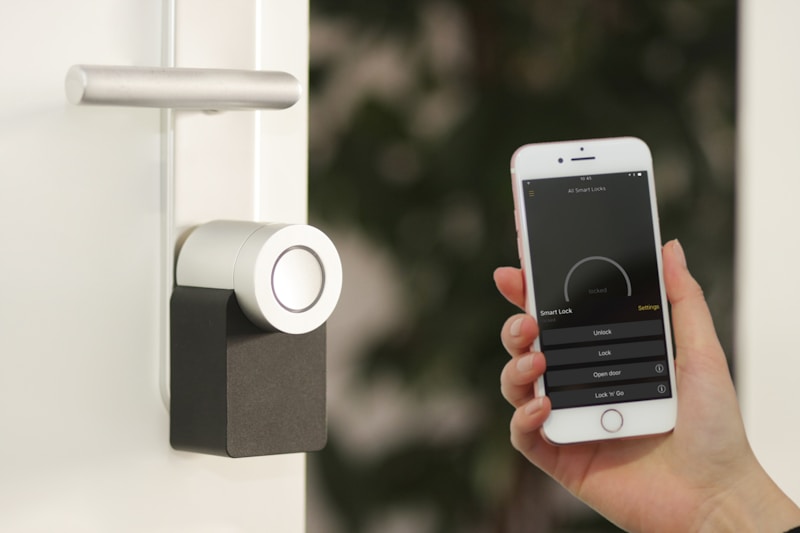
PUBLIC WI-FI IS POISON: Why Coffee Shops Are Hackers' Favourite Hunting Ground

Published: July 2026  |  Reading time: 5 min

Public Wi-Fi danger

You're sitting in a coffee shop. You're connected to the free Wi-Fi. You're checking your bank account, reading emails, scrolling through social media.

You feel safe. The place is full of people. The Wi-Fi password is right there on the wall. It must be secure, right?

Wrong. Dead wrong.

That public Wi-Fi you're using? It's a hacker's dream. And you're giving them everything they need.

Why Public Wi-Fi is Dangerous

When you connect to public Wi-Fi, you're essentially shouting your data into a crowded room. Anyone with the right tools can see:

  • 📧 Your emails (and your passwords).
  • 💳 Your credit card details (if you're shopping).
  • 📱 Your social media activity.
  • 🔑 Your login credentials for everything.

Hackers use what's called a "Man-in-the-Middle" attack. They position themselves between you and the network. Everything you send — they see. Everything you receive — they see.

Attack Type How It Works What Hackers Get Your Risk
Man-in-the-Middle Hacker intercepts your connection Everything you send Very High
Fake Wi-Fi "Free Wi-Fi" setup by hackers Your device info & login attempts Very High
Session Hijacking Steals your active session cookies Access to your accounts without password High
Malware Injection Pushes malware to your device Full control of your device High

The 5 Places Where You're Most Vulnerable

Location Why It's Dangerous What Hackers Steal
Coffee Shops People stay long, lower their guard. Emails, social media logins.
Airports People are stressed, distracted, in a hurry. Travel info, corporate data.
Hotels Often unsecured, shared by many guests. Business emails, credit cards.
Public Transport Unsecured networks, no password. Device info, location.
Libraries Open to everyone, no monitoring. Research data, logins.

How to Protect Yourself (Without Going Crazy)

1. Use a VPN

A VPN (Virtual Private Network) encrypts everything you send and receive. Even if a hacker intercepts your data, they'll only see gibberish.

2. Turn Off Auto-Connect

Your phone is probably trying to connect to every open network it sees. Turn this off. You don't want your phone joining a hacker's fake network automatically.

3. Use Your Phone's Hotspot

Your phone's 4G/5G is much safer than public Wi-Fi. Use it when you need to check sensitive info.

4. Enable "HTTPS Everywhere"

Most websites today support HTTPS (the padlock icon). Make sure you're always using it. There's a browser extension that forces it.

What a Hacker Sees When You Use Public Wi-Fi

Imagine this: you're checking your email on public Wi-Fi. Here's what a hacker sees:

  • 🔓 Your email address.
  • 🔓 The subject lines of your emails.
  • 🔓 Any links you click on.
  • 🔓 The websites you visit.
  • 🔓 Any login attempt (without encryption).

And if the website isn't using HTTPS? They see your password in plain text.

Let's Debate

Some of you will say: "I've used public Wi-Fi for years and nothing happened."

Others will say: "I never use public Wi-Fi. Never have, never will."

A few will say: "I just bought a VPN after reading this."

Where do you stand?

Drop a comment below. I want to know how you stay safe (or not).


Disclosure: Some links in this article are affiliate links. I may earn a small commission at no extra cost to you.
THE PASSWORD LIE: Why Your "Strong" Password Is Already Stolen

Published: July 2026  |  Reading time: 5 min

Password security

Let me tell you something that will make you uncomfortable: your password is already in a hacker's database.

You thought it was strong. You added a number. You added an exclamation mark. You felt safe.

Here's the reality: hackers don't break your password. They just look it up.

Every day, millions of passwords are leaked from data breaches. These leaks are compiled into massive databases that hackers buy and sell. If you've been using the same password for more than a year, it's probably already out there.

The Dark Truth About Data Breaches

Remember that website you signed up for in 2018? The one you forgot about? Yeah, that one.

If that website was hacked, your password is now floating around on the dark web. And if you used that password anywhere else... every single one of those accounts is now at risk.

Data Breach Year Accounts Exposed Why You Should Care
LinkedIn 2021 700 million Your work email + password = corporate espionage risk.
Facebook 2019 533 million Your personal info + phone number = identity theft risk.
Google (Gmail) 2025 500 million (estimated) If they have your Gmail, they have EVERYTHING.
Dropbox 2022 68 million Your documents = blackmail material.

Why Password Managers Are Non-Negotiable

You can't remember 50 unique passwords. I can't either. You don't have to.

A password manager creates complex, unique passwords for every site and stores them securely. You only need to remember one master password.

The Best Password Managers in 2026

Service Free Version? Best For Price (Premium)
Bitwarden ✅ Yes (unlimited) Budget-conscious users $10/year
Dashlane ✅ Yes (50 passwords) Ease of use, VPN included $60/year
1Password ❌ 14-day trial Families & teams $36/year
NordPass ✅ Yes (unlimited) NordVPN users $24/year

How to Fix Your Passwords Right Now

  1. Download Bitwarden (free). It takes 2 minutes.
  2. Change your most important passwords first. Start with your email, your bank, and your social media.
  3. Use the built-in generator. It creates passwords like "x9Z!mK#2qL@". You'll never remember them — and that's exactly the point.
  4. Turn on 2FA everywhere. Google Authenticator or Authy. This is non-negotiable.

The "I Have Nothing to Hide" Argument

People always say: "I have nothing to hide, so I don't care."

That's not the point.

The point isn't that you have secrets. The point is that your identity is valuable. Hackers don't want to read your emails. They want to:

  • 💸 Steal your money (bank accounts, PayPal, crypto).
  • 👤 Steal your identity (open credit cards in your name).
  • 🔐 Lock your files and demand a ransom.
  • 📢 Use your social media to spread scams and ruin your reputation.

It's not about privacy. It's about survival.

Let's Debate

Some of you will say: "This is too extreme."

Others will say: "I already knew this."

A few will say: "I just changed all my passwords."

Which one are you?

Drop a comment below. I want to hear what you actually do with your passwords.


Disclosure: Some links in this article are affiliate links. I may earn a small commission at no extra cost to you.